
How Odoo Processes an HTTP Request
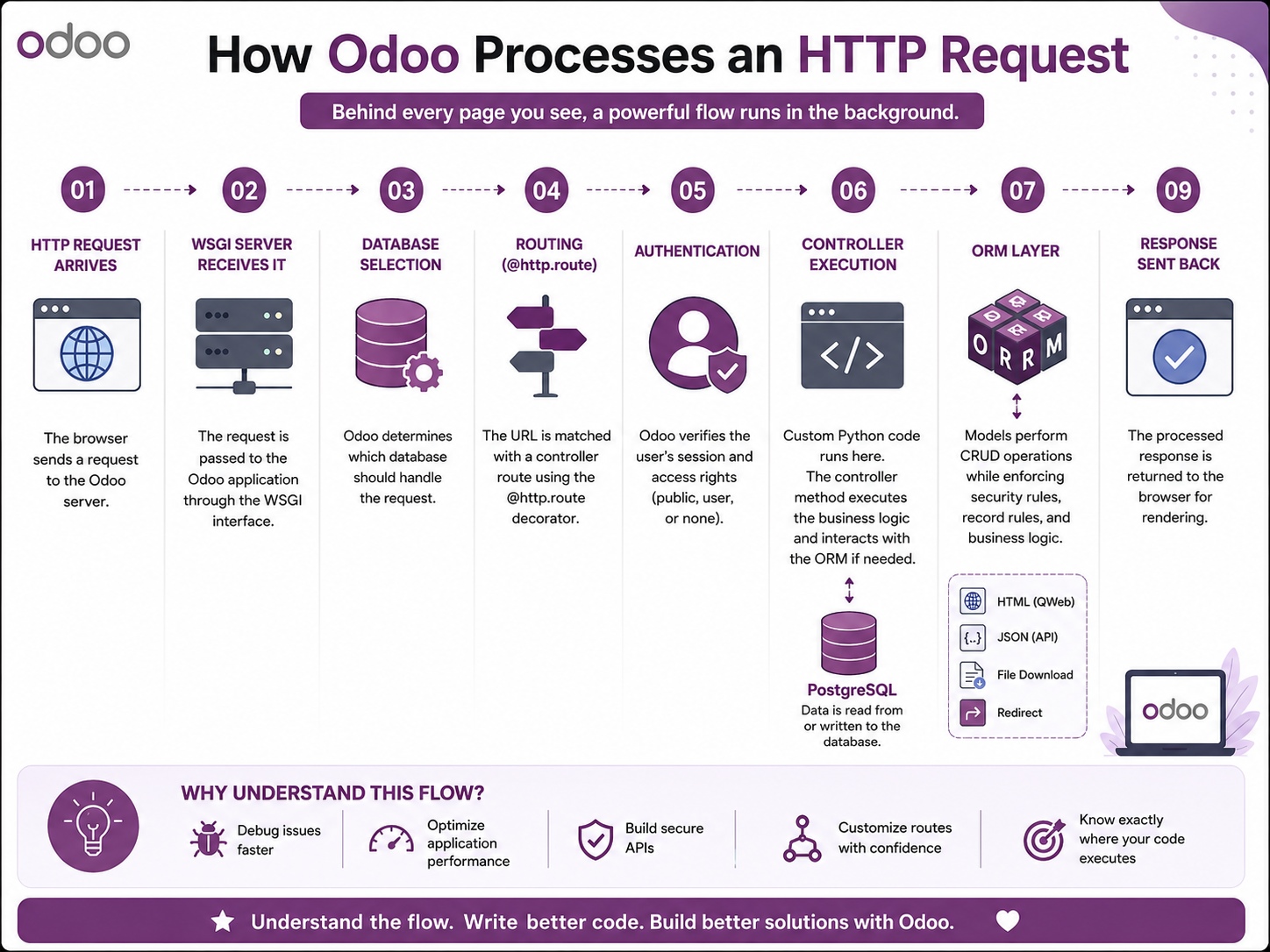
Every click in Odoo—opening a menu, saving a record, or loading a dashboard—starts with an HTTP request. Understanding how Odoo processes these requests helps developers debug issues, optimize performance, and build better modules.
Let's walk through the complete request lifecycle.
1. Browser Sends an HTTP Request
Everything begins when a user interacts with the Odoo web interface.
Examples include:
- Logging in
- Opening the Sales module
- Clicking a button
- Saving a form
- Calling an AJAX endpoint
The browser sends an HTTP request to the Odoo server.
Browser
   │
   ▼
HTTP Request
2. WSGI Server Receives the Request
The request first reaches the WSGI server, which is responsible for forwarding incoming HTTP requests to the Odoo application.
The WSGI layer creates the request environment and hands it over to Odoo for processing.
Browser
   │
   ▼
WSGI Server
3. Odoo HTTP Layer Creates the Request Object
Odoo creates an internal request object (odoo.http.Request) containing:
- HTTP method (GET, POST, etc.)
- Headers
- Session
- Cookies
- User information
- Database information
- Request parameters
This object is available throughout the request lifecycle.
4. Route Matching
Odoo checks all registered routes declared using the @http.route decorator.
Example:
@http.route('/employees', type='http', auth='user')
def employees(self):
    ...
If the URL matches a registered route, Odoo invokes the corresponding controller method.
Incoming URL
      │
      ▼
Route Dispatcher
      │
      ▼
Matching Controller
5. Authentication and Session Validation
Before executing the controller, Odoo validates authentication based on the route configuration.
Common authentication modes include:
auth="user"→ Logged-in users onlyauth="public"→ Public access allowedauth="none"→ No authentication required
The session is restored, and the current user is identified.
6. Controller Executes
The matched controller handles the business logic.
Typical responsibilities include:
- Reading request parameters
- Validating input
- Calling ORM methods
- Returning JSON or HTML responses
- Rendering templates
Controllers should remain lightweight and delegate data operations to the ORM whenever possible.
7. ORM Handles Database Operations
Whenever data needs to be accessed or modified, the controller calls the Odoo ORM.
Examples:
search()

browse()

create()

write()

unlink()
The ORM performs:
- Access rights validation
- Record rule enforcement
- Cache management
- SQL generation
- Transaction handling
Instead of writing raw SQL, developers interact with Python models while the ORM handles the underlying database operations.
Controller
     │
     ▼
ORM
     │
     ▼
PostgreSQL
8. PostgreSQL Executes SQL Queries
The ORM generates optimized SQL queries which are executed by PostgreSQL.
Examples include:
- SELECT
- INSERT
- UPDATE
- DELETE
The results are returned to the ORM for further processing.
9. Response Generation
After processing is complete, Odoo prepares the response.
Depending on the request type, the response may be:
- HTML page
- JSON response
- Redirect
- File download
- PDF report
The response is then sent back to the browser.
PostgreSQL
      │
      ▼
ORM
      │
      ▼
Controller
      │
      ▼
HTTP Response
      │
      ▼
Browser
Complete HTTP Request Flow
Browser
   │
   ▼
WSGI Server
   │
   ▼
Odoo HTTP Layer
   │
   ▼
Route Dispatcher
   │
   ▼
Authentication
   │
   ▼
Controller
   │
   ▼
ORM
   │
   ▼
PostgreSQL
   │
   ▼
ORM
   │
   ▼
Controller
   │
   ▼
HTTP Response
   │
   ▼
Browser
Why Understanding This Flow Matters
Knowing how Odoo processes an HTTP request helps developers:
- Debug routing and controller issues
- Optimize database queries
- Write efficient controllers
- Improve application performance
- Understand where permissions and record rules are applied
- Build scalable custom modules
Conclusion
Every user action in Odoo follows a well-defined pipeline—from the browser to the WSGI server, through routing, authentication, controllers, the ORM, and finally PostgreSQL before returning a response.
Once you understand this lifecycle, debugging becomes easier, performance bottlenecks become more visible, and designing clean Odoo applications becomes much more intuitive.